

Ever thought about turning your journey into a string of picture-perfect moments? Imagine mapping out your trip around spots that make you pause and snap a photo. Today, I’m excited to share how you can plan your travels to hit both famous sights and those secret corners bursting with charm. I once wandered into a street lit by the soft glow of the afternoon sun, and it turned an ordinary day into a mini photo adventure. So, grab your camera and get ready to add a fun twist to your next travel tale!
Blueprint for Designing a Travel Itinerary with Photo Stops

Start by exploring Google Maps using Satellite and Street View. It’s a fun way to check out not only the famous landmarks but also those hidden gems like little cafés and winding trails. I once stumbled upon a sunlit alley that turned an ordinary street into an impromptu photo session, pretty cool, right? This approach lets you see the light, the shadows, and the overall vibe long before you pack your camera.
Then, take your exploration a step further by making a custom map. Add little pins (think of them as markers) for cool spots, whether it’s a stunning building, a breezy park, or a local eatery. Group these pins by theme, so it’s easy to spot clusters that make for a smooth walking or driving route. If you see several pins in one area, let that place be your focus, adjusting your route if the weather shifts or if you feel like taking a spontaneous detour.
In short, the secret is to plan ahead while leaving room for surprises. By researching and mapping out potential photo stops, you set the stage for a dynamic and flexible travel experience that’s as structured as it is full of unexpected delights.
Researching and Selecting Photogenic Stops for Your Itinerary

Planning a photo-friendly trip can be a fun adventure. You can mix quick online searches with tips from locals and community shared photos to find that perfect spot. Imagine the golden glow of a sunset over a hidden mural or a quiet alley bursting with charm.
Start by checking online platforms like Mapillary for unique views that go beyond the usual maps. Next, dive into social media using hashtags to uncover offbeat locations shared by local photographers. You might also explore local photography blogs to find quirky murals or rustic alleys that aren’t on every tourist's list.
Don't forget to use real-time weather apps to hit your stops when the light is just right. Finally, blend all your discoveries into one curated list that balances famous views with those secret, photogenic gems. This way, your itinerary will be filled with both well-known spots and surprising treasures that add a fresh twist to your travel story.
Mapping Tools and Scenic Route Planning for Photo Stops

Custom Google Maps can turn planning into a fun treasure hunt. You can mix themed layers, like spots for tasty treats or striking old buildings, with your own pin legends so you know exactly where to snap great photos. Ever thought about mapping out hidden gems before you even pack up?
Next, mark your discoveries by dropping individual pins and color-coding them. This way, a quick look lets you see clusters of photo-worthy spots without having to dig through every detail, it's like finding bright splashes of color in an art piece.
In truth, this method is like carrying a mini passport filled with your favorite travel stops. With themed layers and clear legends, your route stays flexible, ready to catch the perfect light or an unexpected moment on the fly. Enjoy the journey and let your map guide you to the best parts of your adventure!
Scheduling and Optimizing Photo-Stop Timing in Your Itinerary

When planning your photo stops, think about catching nature’s best light, it not only makes your pictures shine but also sets a pleasant pace for your day. Checking weather and daylight patterns ahead of time helps you hit those golden moments right when they happen.
A simple daily calendar or table can work wonders for organizing your journey. Jot down attractions, timed events, and reservations like mini appointments, and watch your day flow effortlessly as you savor every location.
Mark the approximate start times for each stop as if your camera were the star of the show. If you’re chasing sunrise or sunset scenes, adjust your schedule accordingly so you’re always in the right spot at the right time. This planning means you won’t waste a minute chasing that elusive perfect light.
And remember, leave a little extra time between stops. That buffer lets you explore unexpected detours, snap impromptu photos, or simply catch your breath after a busy slot. Flexibility is your best friend on the road, sometimes, a spontaneous moment is exactly what makes the trip unforgettable.
Customizing Your Travel Plan with Itinerary Templates and Photo Layouts

When planning your photographic adventure, try using digital tools to keep things smooth. I once had a trip where my paper map disappeared at the worst moment, so trust me on this: going digital means your travel details are safe and you can update them in a snap.
Be sure to jot down all the essentials in your digital itinerary, flight numbers, hotel addresses, local maps, and even the current currency rate. Think of it like a handy checklist that organizes your day into neat segments, yet leaves plenty of room for those spontaneous photo moments. You can even use prebuilt templates from myinstapalette.com?p=132 as your starting point, adjusting the layout to include landmarks, dinner spots, or just a cool view.
Using these digital helpers turns your itinerary into an interactive roadmap. It lets you tweak your plans on the fly while capturing every memorable detail along the way.
Example Travel Itinerary Template Featuring Photo Stops

Looking for inspiration? Here’s a handy HTML table template that you can customize for your next journey. Picture this: a four-week adventure laid out with clear day ranges, special focus areas, and plenty of cool photo stops. Whether you’re setting off for a long European tour or a quick dive into Montreal, this template helps you plan your days and capture those unforgettable moments. For more neat travel plans, check out this link: planning travel itineraries.
| Day Range | Focus Area | Key Photo Stops | Notes |
|---|---|---|---|
| Days 1-7 | Local Highlights | Historic Sites, Central Park, Local Markets | Plan early mornings for softer light and steer clear of big crowds. |
| Days 8-14 | Scenic Overlooks | Coastal Views, Panoramic Decks, Bridge Sunsets | Leave some extra time to enjoy a spot if the weather’s perfect. |
| Days 15-21 | Architectural Wonders | Museum Exteriors, Iconic Towers, Quaint Alleyways | Have a backup plan for indoors if it gets rainy or chilly. |
| Days 22-28 | Hidden Gems | Local Art, Quiet Gardens, Unmarked Street Corners | Go with the flow, if a place feels extra charming, tweak your plans a bit. |
This table is built to be flexible and easy to massage into your own travel vibe. You can adjust the day ranges, add extra columns like meal spots or transit tips, or break things down even more if your trip takes a different shape. By sorting your itinerary into weekly slices, you mix famous attractions with spontaneous, off-the-beaten-path gems. Enjoy customizing your schedule and leave plenty of room for that unexpected magic only travel can offer!
Top Photogenic Destinations to Include in Your Travel Itinerary
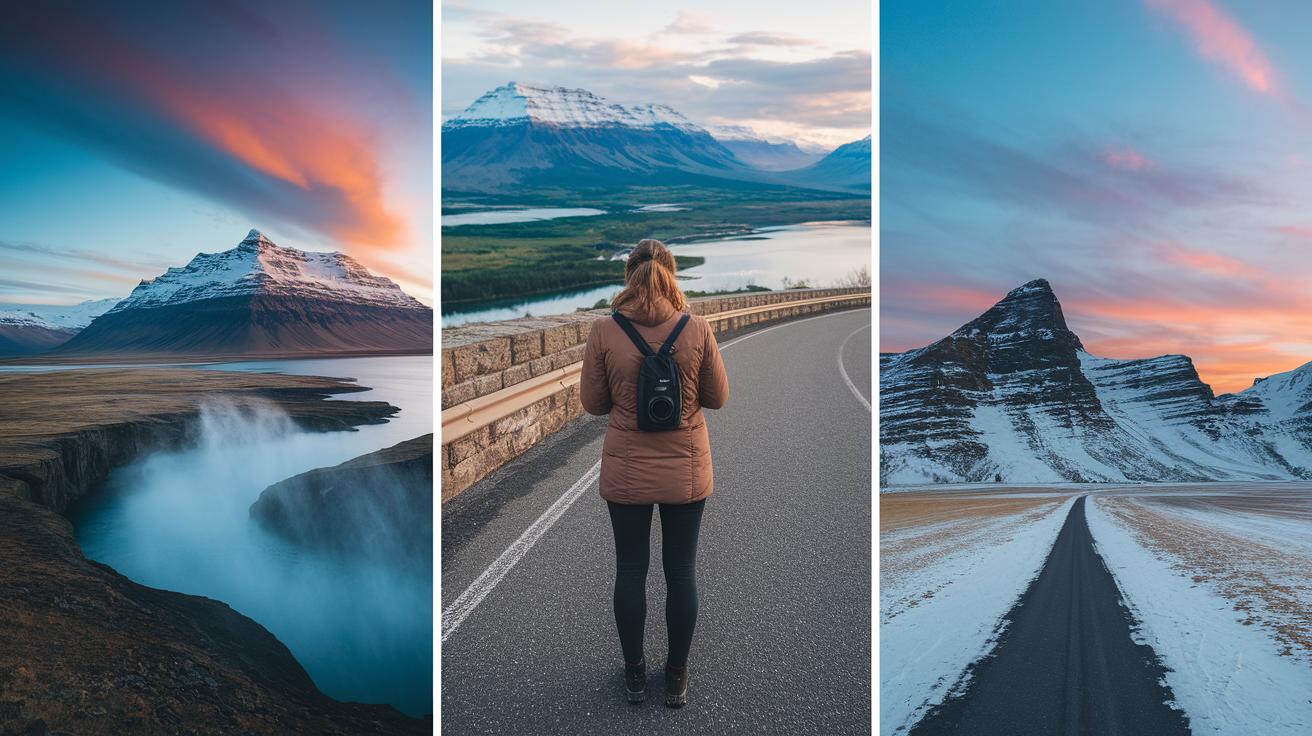
Planning a trip that bursts with picture-perfect stops makes your adventure truly one-of-a-kind. Imagine setting off each day with nature’s most stunning backdrops, places that seem ready-made for your camera. Each destination offers its own unique vibe, gifting you moments that speak directly to your inner photographer.
- Iceland’s South Coast: Picture yourself under a cascading waterfall amid a veil of mist. The air feels charged, and every droplet catches the light just right.
- Lofoten Islands: Think of rugged peaks reaching into a sea of scattered clouds. The dramatic scenery offers bold contrasts that seem to pop with every shot.
- Banff National Park: Envision towering mountains and tranquil lakes coming together in a dance of pristine wilderness. Every click feels like capturing nature at its most majestic.
- Northern Arizona: Picture endless desert landscapes where sculpted rocks and shifting shadows create nature’s own art gallery. The light and textures here tell their own story.
- Oahu: Imagine greeting the day on a quiet beach, where soft sunrise hues bathe gentle waves in a warm glow. It’s a serene start that makes every photo feel inviting.
- Provence: Visualize wide fields of blooming lavender, painting the countryside in soothing pastels. The charm of the region whispers of quiet afternoons and timeless beauty.
Final Words
In the action of planning, we explored how to design a travel itinerary with photo stops using hands-on tips. We mapped scenic stops, scouted for perfect click moments, and tailored a flexible plan that leaves room for new surprises.
This blueprint guides you from scouting photogenic sites with simple tools to organizing stops with clear, easy steps. With this blueprint in mind, your trip is set to become a delightful gallery of memorable moments. Enjoy every snapshot along the way!
FAQ
How can I design a travel itinerary with photo stops for free and online?
Designing a travel itinerary with photo stops for free and online means using digital tools like Google Maps and Wanderlog to set custom layers and mark scenic stops while keeping your plan flexible.
How do I create a trip with stops using Google Maps?
Creating a trip with stops in Google Maps involves adding pins on a custom map, using the Satellite and Street View features to confirm photo-worthy locations, then grouping stops into a smooth route.
How do I create a detailed travel itinerary?
Crafting a detailed travel itinerary means combining key logistics—like flight details and hotel addresses—with a mapped plan of attractions and photo stops, all arranged in a clear, step-by-step daily schedule.
What is the best format for a travel itinerary?
The best format for a travel itinerary is a clear, structured layout, often using digital templates or spreadsheets that organize day ranges, focus areas, photo stops, and essential notes for easy reference.
Can I use Google Maps to make an itinerary?
Yes, you can use Google Maps to make an itinerary by creating a custom map, adding location pins, and categorizing stops to visualize your route and optimize times for great photo opportunities.
Which travel itinerary planner apps are useful for planning stops?
Travel itinerary planner apps like Wanderlog, TripIt, Booking.com, Splitwise, and Tripadvisor provide useful interfaces to organize stops, manage reservations, and adjust plans for photo-friendly adventures.